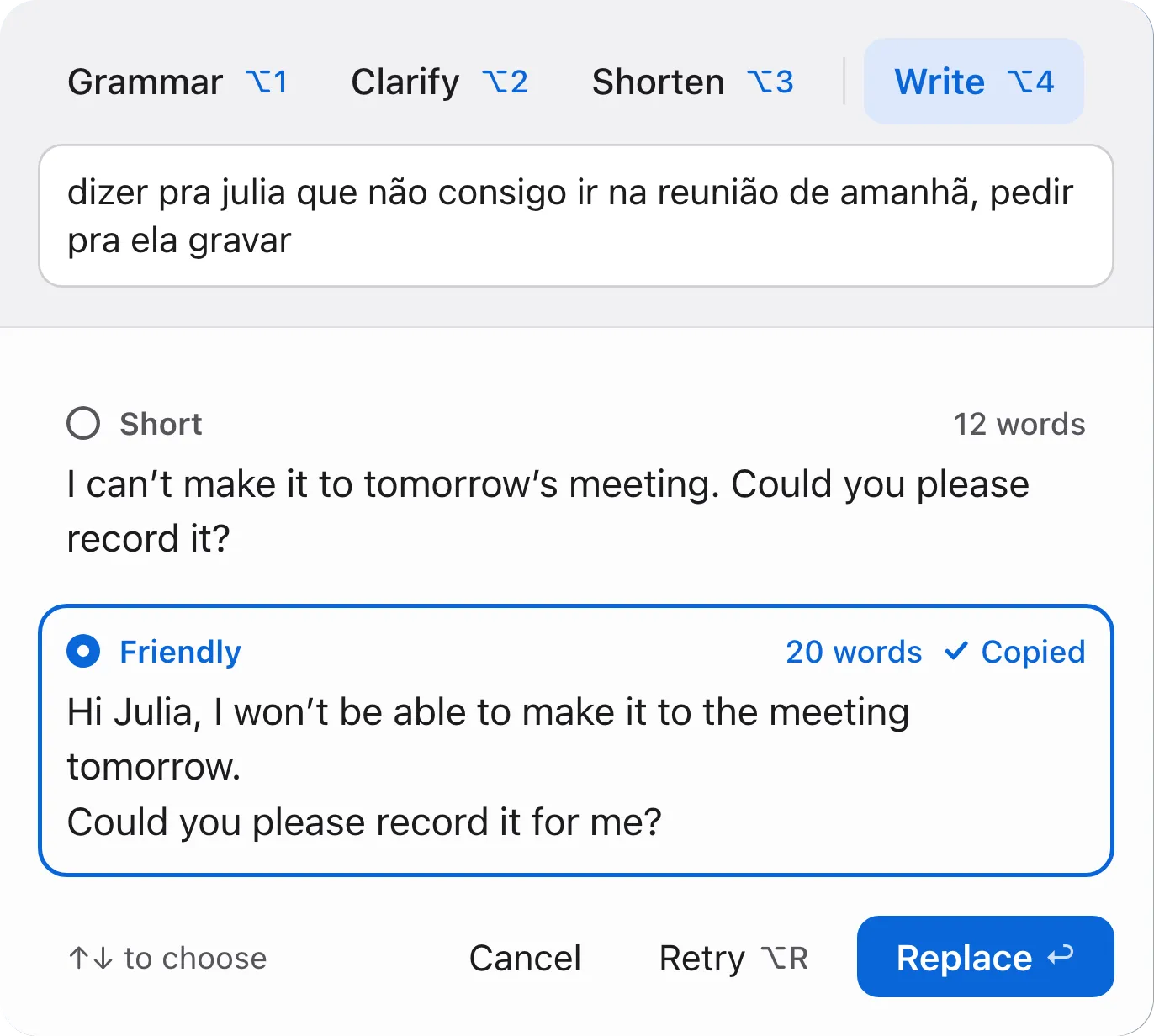
Write turns a quick note into a message, in two versions: short and friendly.
The note can be in Portuguese; the message comes out in English.
Write Better fixes the grammar, makes the text clearer or shorter, or turns a rough note into a message. The language model runs on the Mac itself: no cloud, no account, no subscription.
It’s a custom product, and it isn’t available to download.
Want to try it? Email max@yogoro.me.
01 Select text in any app
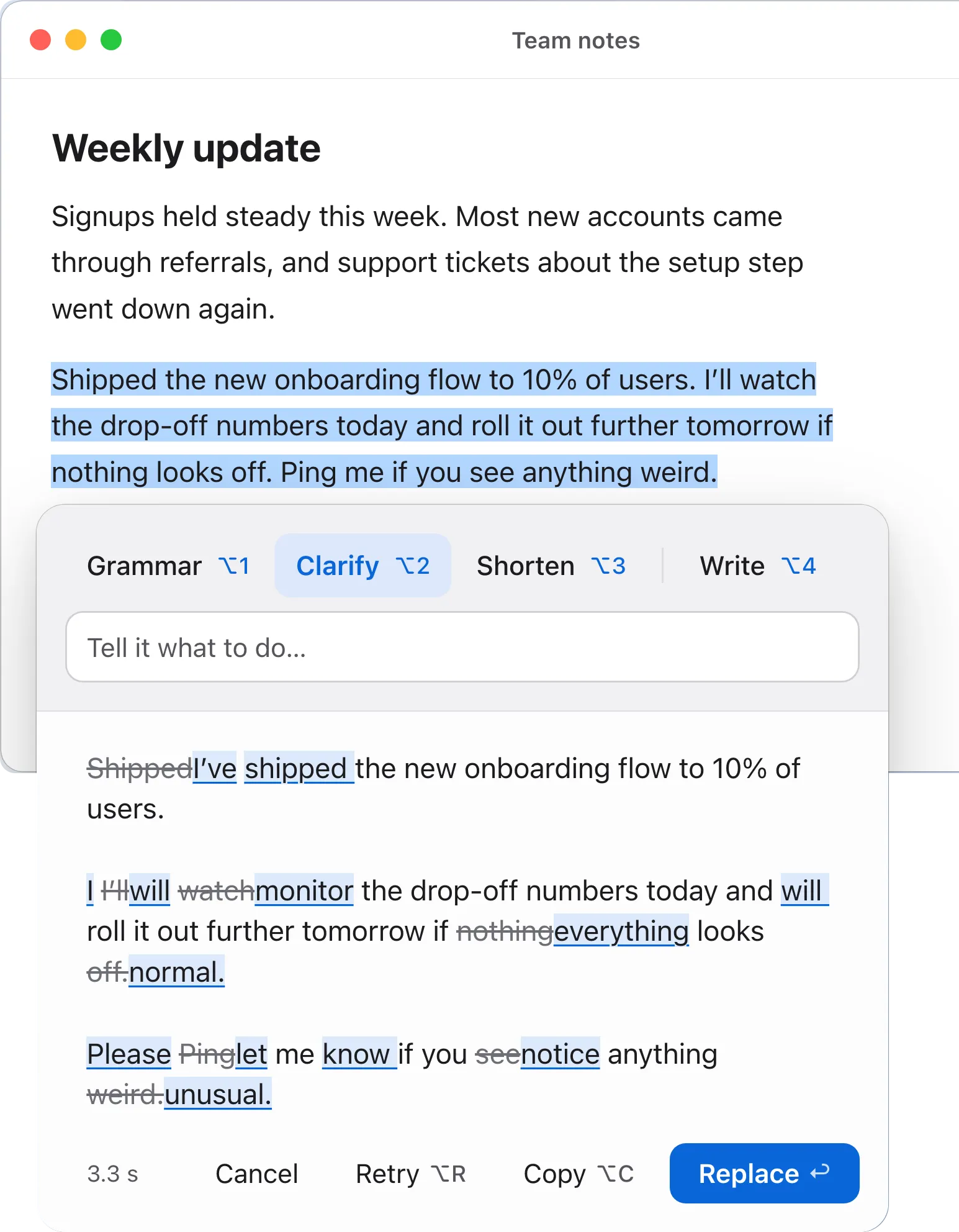
Email, documents, chat, Figma, the browser. A tap on the right Option key opens the panel over the app.
02 Pick what to do
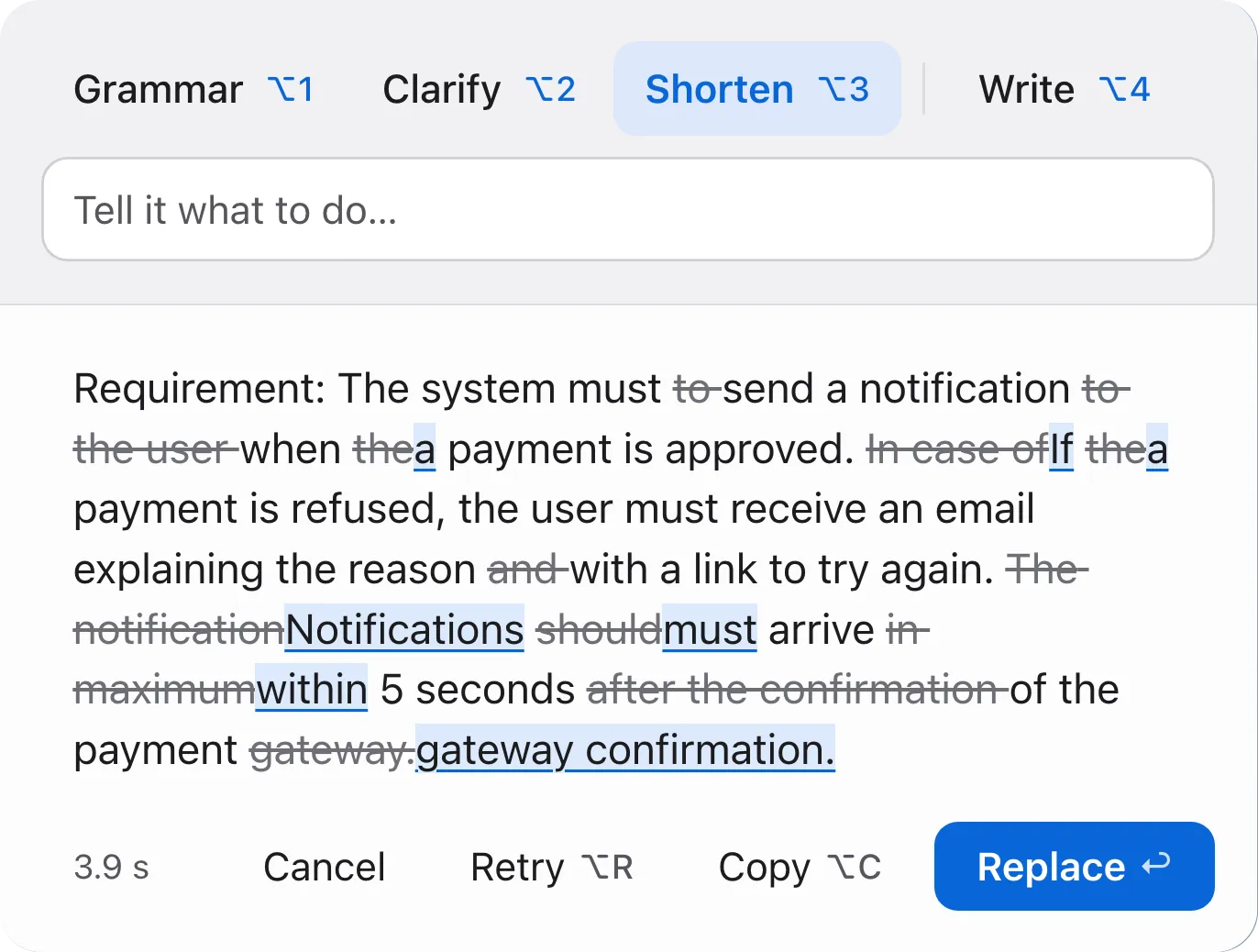
Grammar, Clarify or Shorten, each with its own shortcut. Or a typed instruction, like “friendlier” or “bottom line first”.
03 Check each change, then replace
Removed words are struck through and new ones underlined. The original text stays as it is until Replace.
04 Learn along the way
A short tip names the change most worth learning. Words Portuguese speakers often misuse, like “pretend” or “eventually”, come with what they mean in English.
Write turns a quick note into a message, in two versions: short and friendly.
The note can be in Portuguese; the message comes out in English.
Runs locally
An open language model runs on the Mac itself. After a one-time download, it works offline.
No cloud, no account, no tracking
Write Better makes no external calls, so I can use it on confidential work too.
Keeps a history and reviews it constantly
Each result is saved with what I did next: replaced, copied, retried or cancelled. Once a month, it summarizes that history, proposes changes with the evidence behind them, and looks for newer open models that are better for the job.
Real texts become tests
When enough new texts pile up, the system anonymizes them and asks me whether they should be included in the analysis for future improvements.
I keep control over changes
The prompts and the model only change after I approve a change and it passes quality tests.